

Mario has a mustache because nobody could draw his mouth.
Back in the early eighties, the screen gave you almost nothing to work with. A character was a tiny grid of pixels, maybe sixteen across. At that size you can’t draw a face, so his designers gave him a mustache instead of a mouth, a big nose so he’d still read as human, a red cap so they didn’t have to draw hair, and overalls so his arms read against his body when he moved. Almost every famous thing about him is a workaround for a screen that couldn’t show more.
That is pixel art. Painting something you recognize instantly, with almost no room to paint it. And lately I’ve been wondering whether AI can do it.
Why I keep coming back to pixels
I’ve always loved this medium and I’ve never been any good at it. The appeal is the simplicity. A whole character in a handful of colored squares, and somehow your brain fills in the rest. It’s a real art, too. Technically it’s just a grid, but a good piece of pixel art is genuinely hard to pull off, and the gap between clumsy and beautiful can be a single pixel.

What pulled me back in wasn’t nostalgia. It was the format. Strip away the romance and pixel art is just a grid of color codes, maybe a few layers stacked on top of each other. That is about as friendly to a language model as a visual medium gets. With a png or a jpeg there’s a barrier. The model can describe the picture, but it can’t really reach in and move things. With pixels there’s no barrier. A model could just write a 16-by-16 grid, or a 32-by-32 one, and that’s it, you have an asset. A character that can jump, get hit, fall over.
And it wouldn’t stop at games. If a model could own asset generation end to end, it could build a whole world out of grids.
I went looking for experiments on how well the models actually do this. I found a few, but nothing that gave me what I wanted. So I ran my own, and put the whole thing in an explorer you can poke at yourself: open the lab.
A short history of painting small
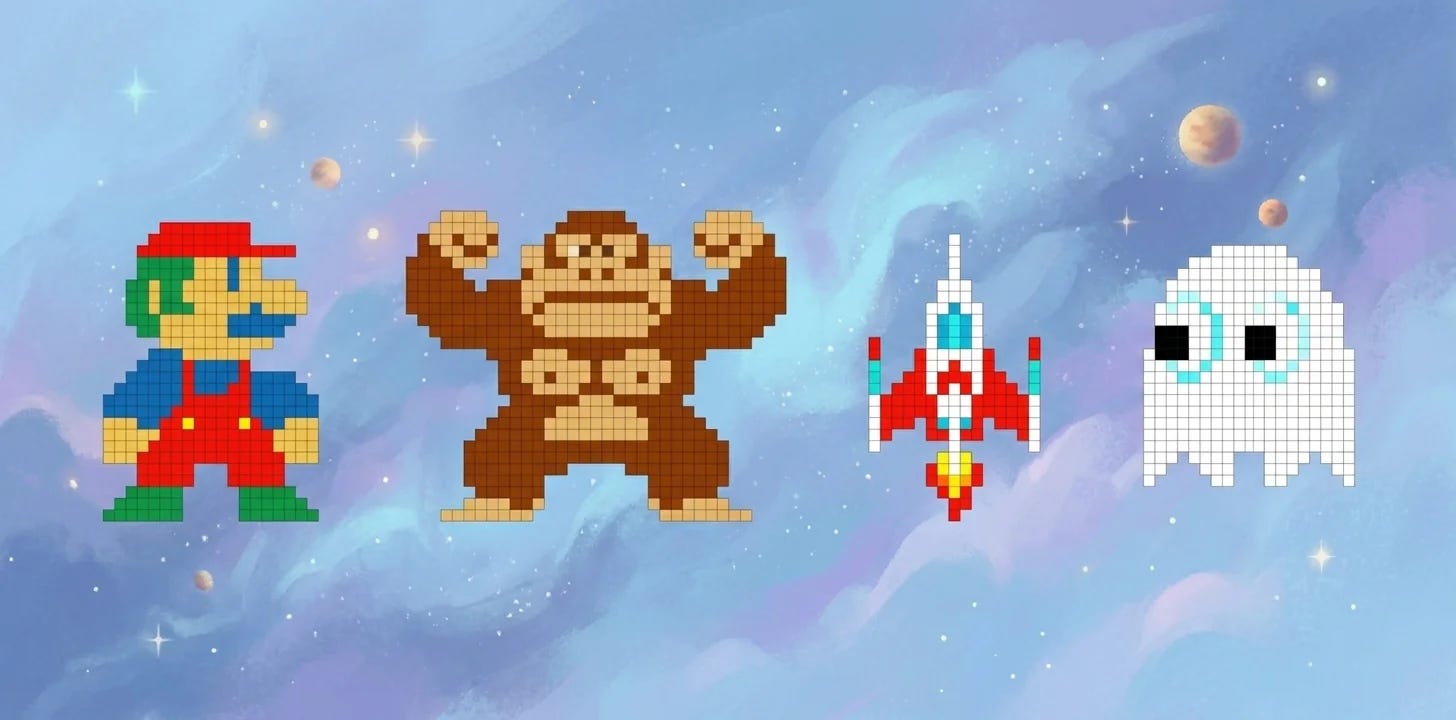
Pixel art didn’t start as a style. It started as a limit. Early machines had tiny resolutions, a few colors, and tight memory, so artists drew straight onto the grid, one square at a time, choosing every pixel by hand. A character was stored as a small block of grid data with a palette, the cheapest way to get something recognizable onto a screen.
Then the constraint became a choice. As screens got better, pixel art could have quietly died, and for a while it mostly did. It came back through indie games that wanted the look on purpose, and now it’s a deliberate aesthetic instead of a limitation. We’re at the point where people reach for low resolution because they like what it does, not because they’re stuck with it.
The tools, and the words you need
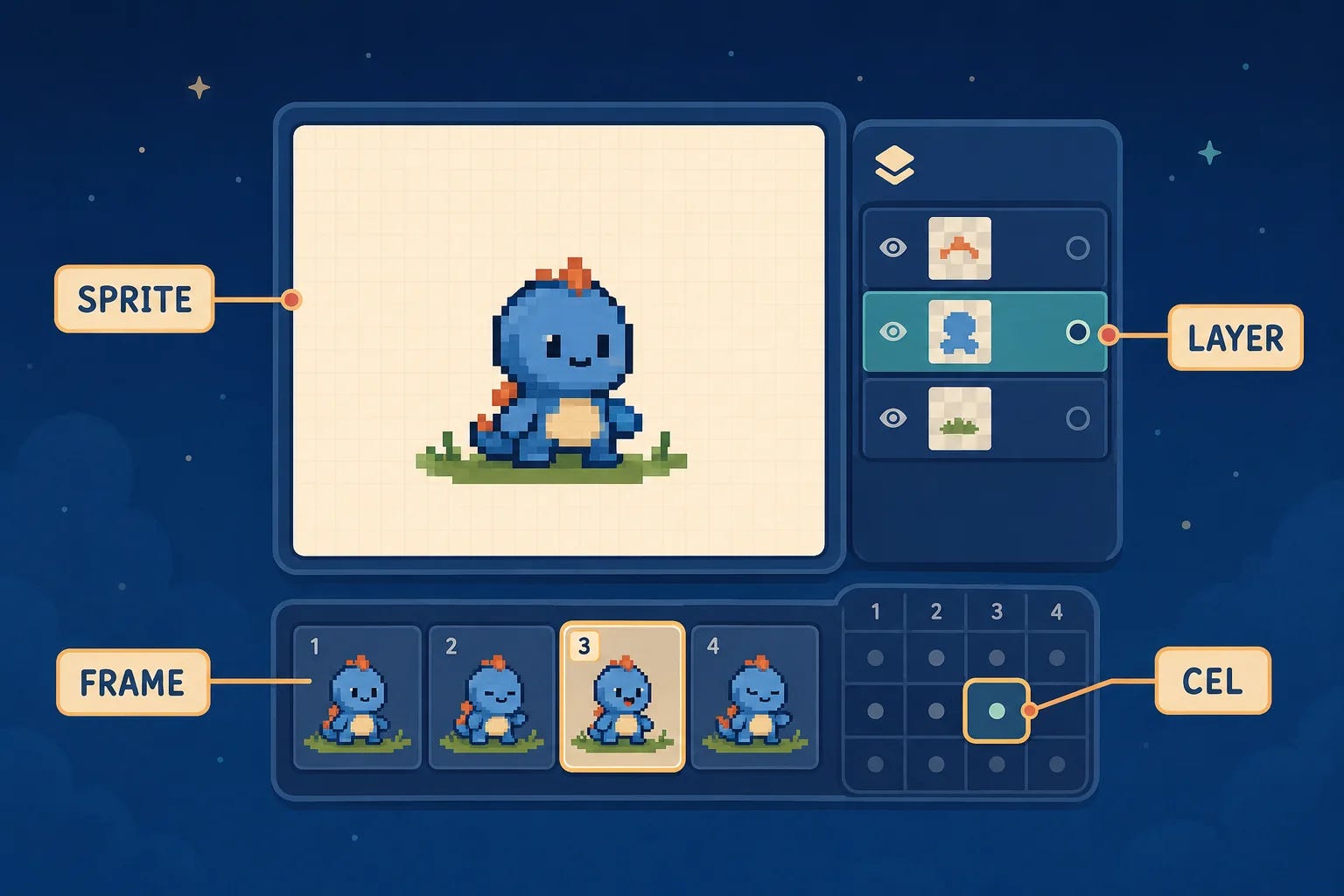
If you want to make this stuff today, you mostly open Aseprite. It’s the editor pixel artists actually use. Before I could test anything, I had to learn its vocabulary, because the format is the whole game here.
A sprite is the whole thing you’re working on, the full set of frames and layers that make up your character or object. A frame is one still in an animation. A layer is one level in that stack, the same as in any image editor. A cel is the piece of one layer on one frame, the actual pixels living at that intersection. The word comes from “celluloid,” the clear sheets used in hand-drawn animation.
None of this is complicated, but it matters, because the structure is what an LLM has to reason about. It isn’t painting. It’s filling in a grid, across layers, across frames.
Making it legible to a machine
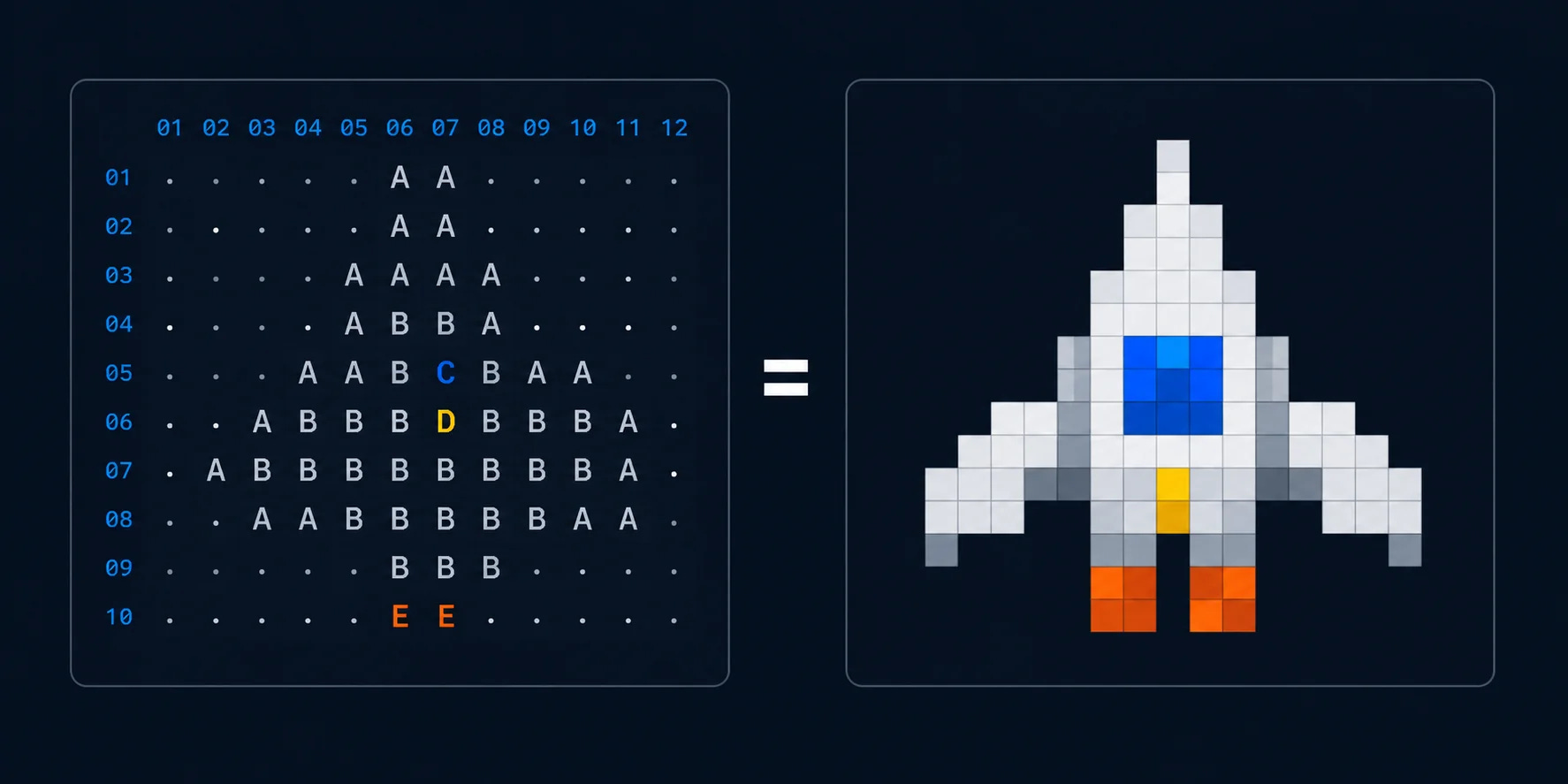
So I tried to model the art in the form closest to something a model can actually feel its way around: ASCII. A grid of characters, one per pixel. That turns out to sit much closer to how these models seem to think about pixels than a flat image file does. The layers ride on top as metadata, just notes about what each grid is and how they stack.
It’s the same instinct that makes ASCII diagrams work in a terminal. The model isn’t looking at a picture, it’s reading and writing a grid, and a grid is something it can hold in its head.
# rocket.sprite  ·  9x9  ·  frame 1 of 1
# palette:  . empty   W body   B window   O flame

. . . . W . . . .
. . . W W W . . .
. . . W B W . . .
. . W W B W W . .
. W W W W W W W .
W W . W W W . W W
. . . W W W . . .
. . O . . . O . .
. . O . . . O . .
A test set, not really a benchmark
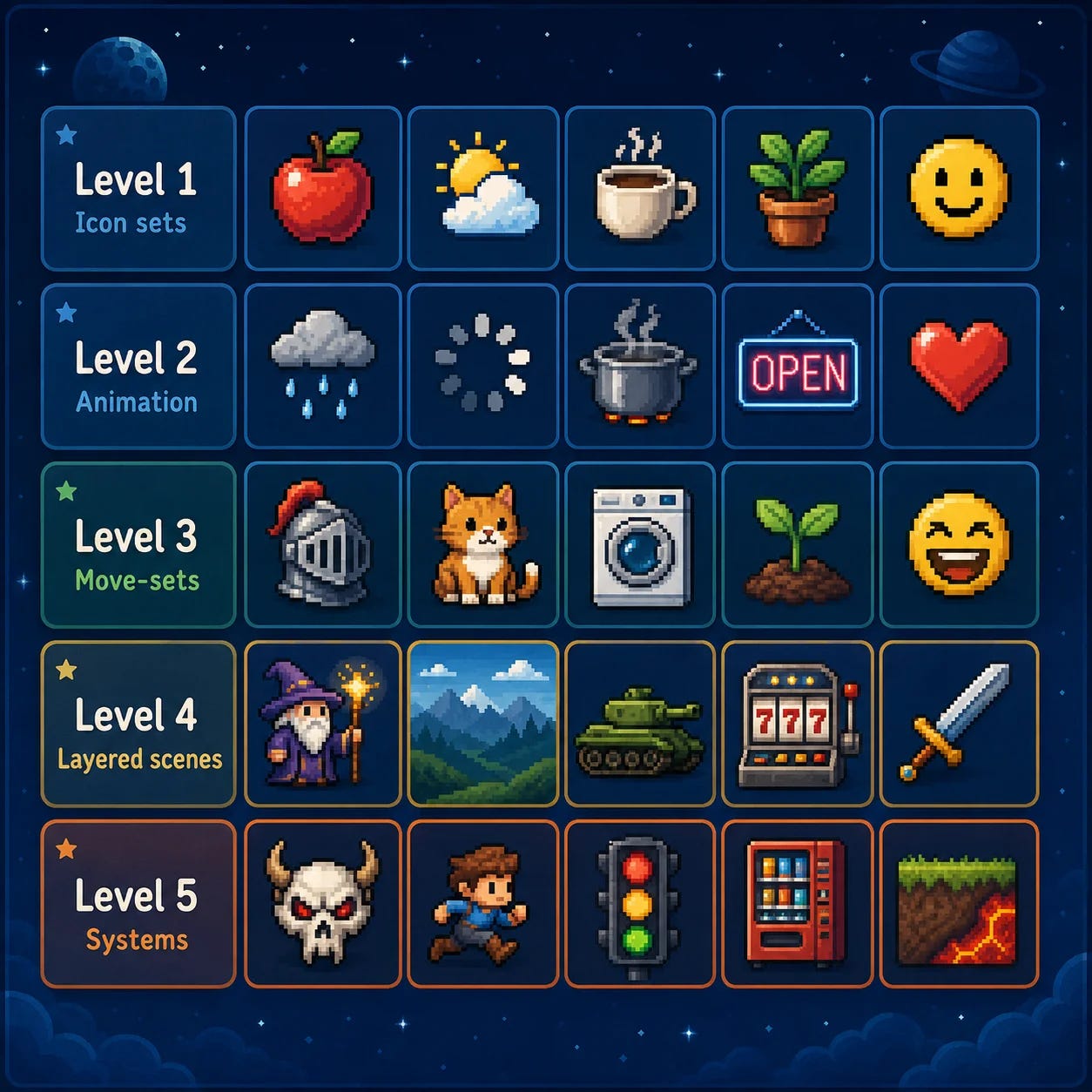
I keep wanting to call this a benchmark and then stopping myself, because it isn’t one, not in any scientific, comparable, leaderboard sense. I just wanted to quickly run a test with a few examples across the different models and see where they stand. It’s just a start, v0.0.0.
It’s five levels, five challenges each. Every challenge is a prompt and a set of instructions. I ran each model inside its own agent harness, Claude Code for Claude, Codex for GPT, Antigravity for Gemini, pointed it at an instruction file, and asked it to work through the challenges one by one and produce the final format. And none of it was one-shot. Each model could render a sprite, look at what it made, judge it, and adjust, looping on the same one as many times as it wanted. I wasn’t after their first guess, I was after their best, so I let them take their time.
Go play with it
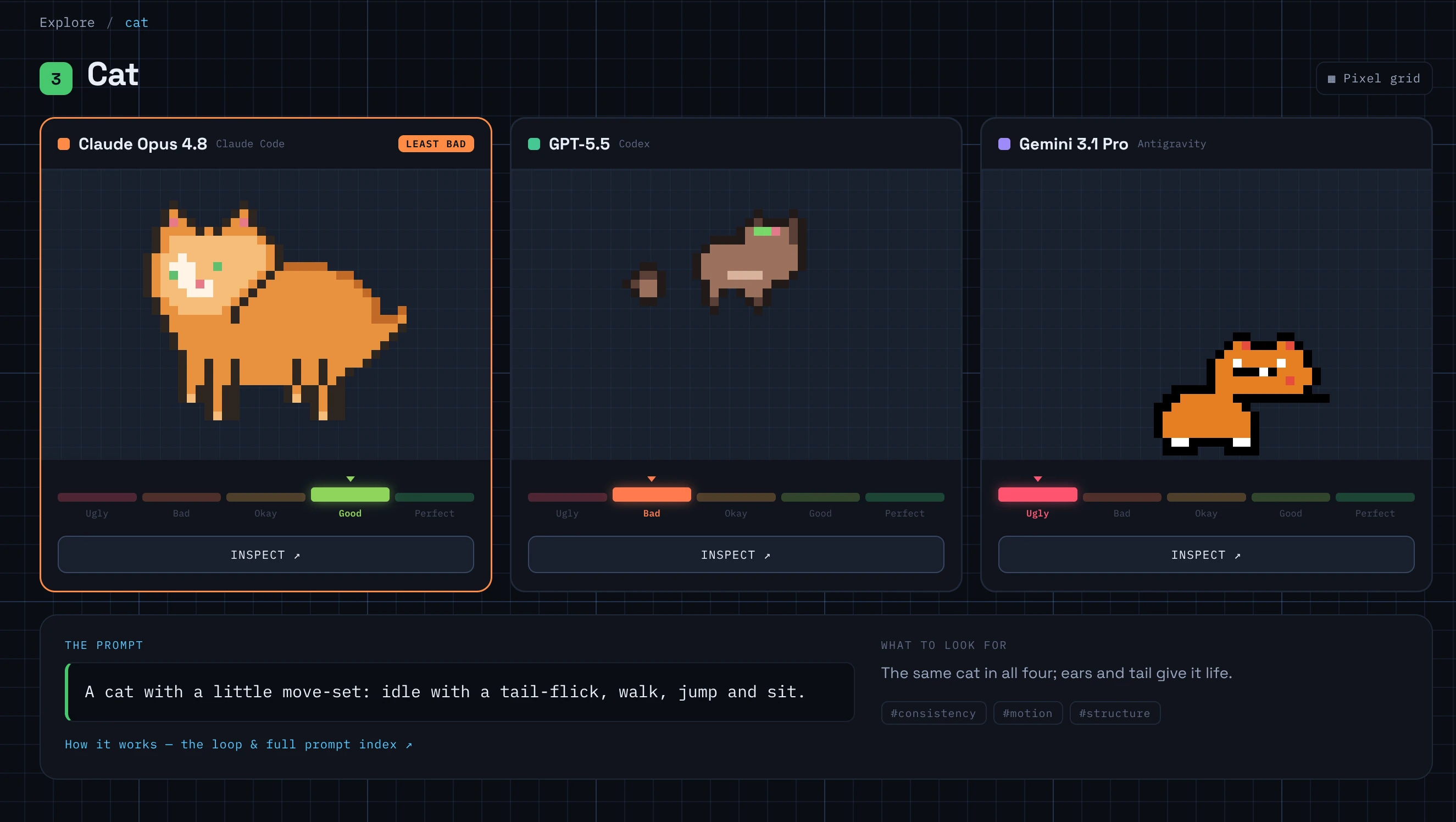
Here’s that explorer up close. You can see the static sprites, step through the animations frame by frame, peel the layers apart, and generally play with what each model made.
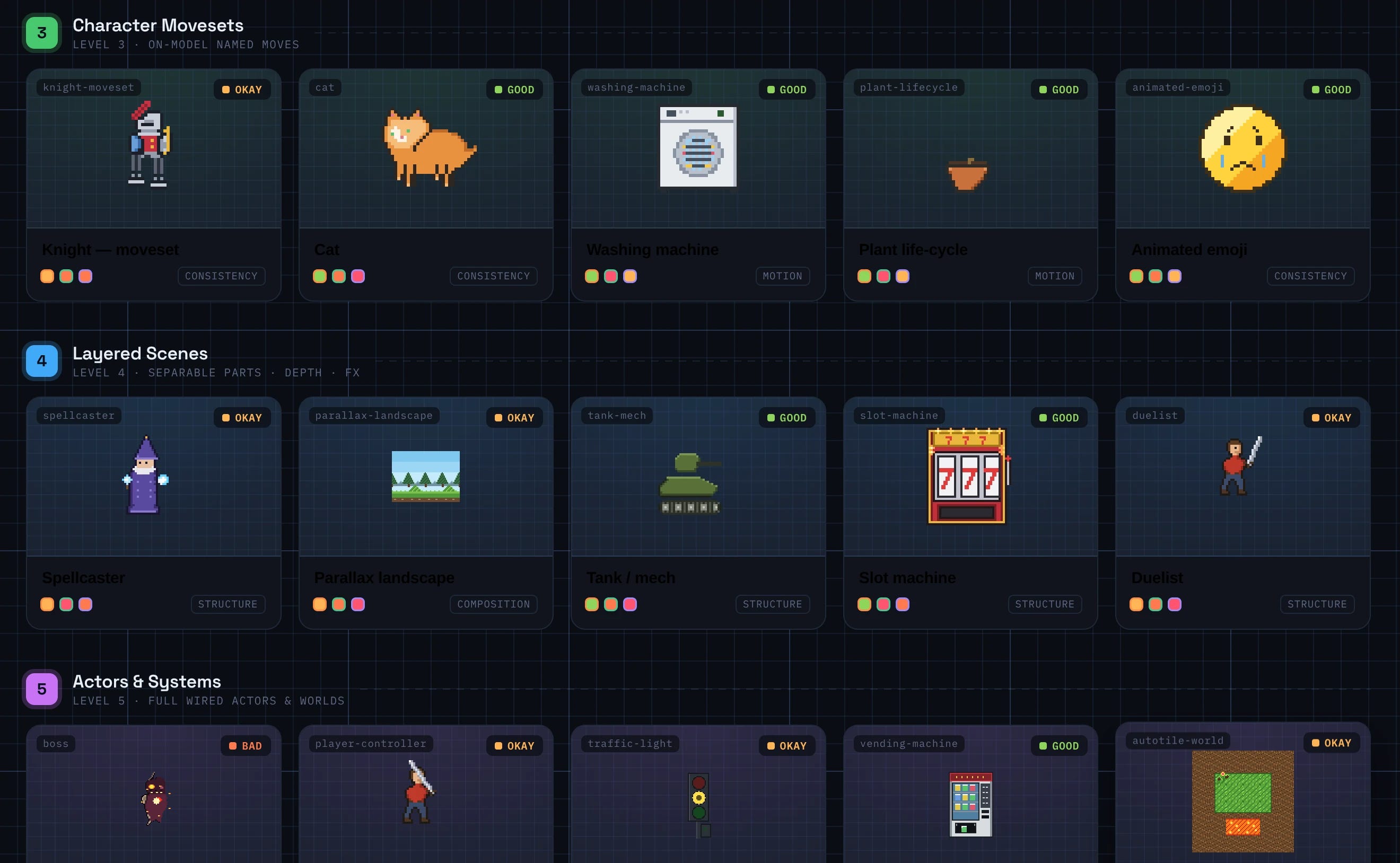
The short version: they’re all bad, especially at animation. None of them can be trusted to turn out a quality asset. Opus 4.8 was clearly the least bad, the only one that ever reached good, though even it mostly settled at okay. GPT-5.5 and Gemini 3.1 Pro were both stuck at bad overall, with GPT-5.5 the weakest of the three (Gemini honestly surprised me there, I’d have bet it would be the worst). Across all seventy-five attempts, not one earned a perfect. But don’t take my word for it, go look: explore the lab.
My honest take
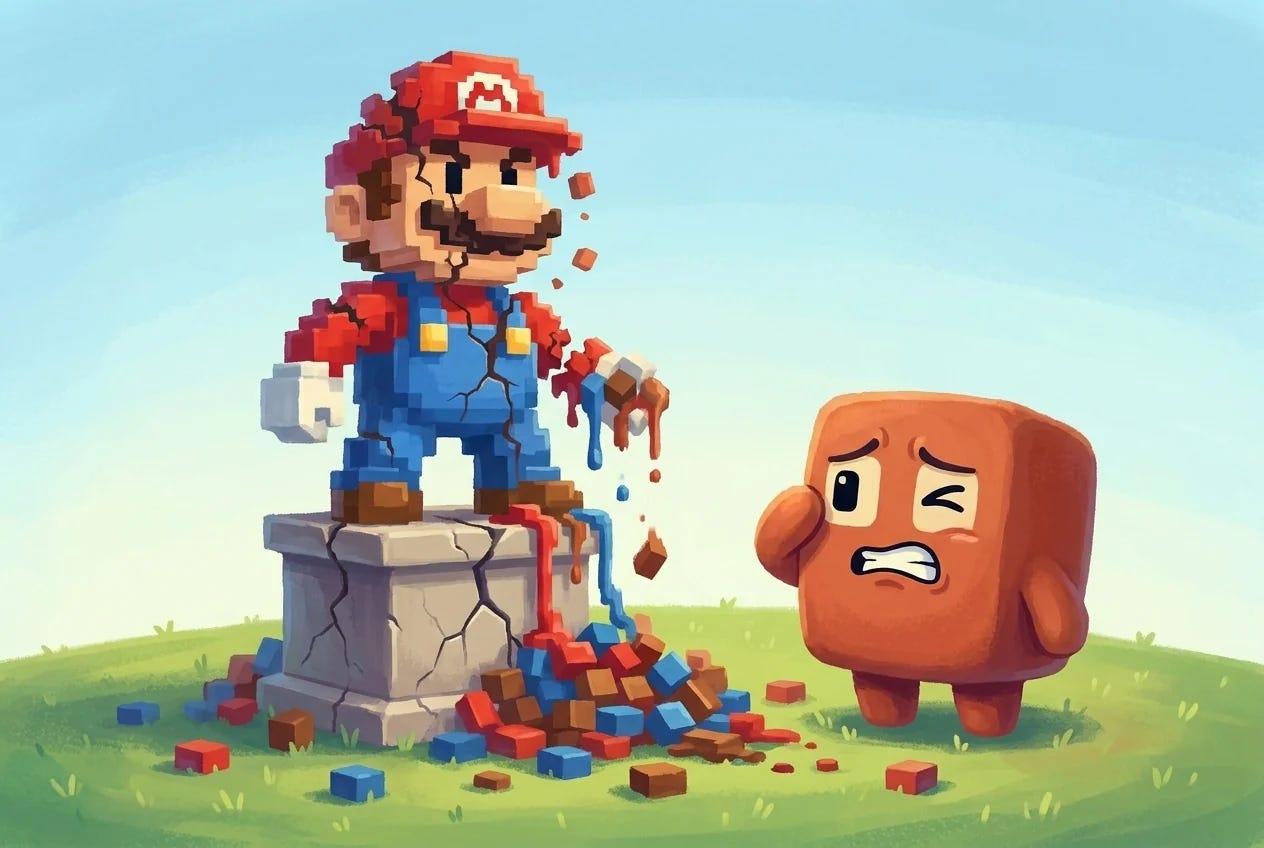
We’re not there yet. The models are not good at this, and they are especially bad at animation. A static sprite they can sometimes fumble into shape. Ask them to make it move, frame by frame, and it falls apart fast.
Part of it is probably training data. What makes me think it isn’t only the data is that they aren’t great at SVG either, and that’s a similar kind of problem, building an image out of structured instructions instead of pixels pushed around a canvas. Same wall, maybe. Either way, there’s a long way to go.
What I want to see next
The interesting future is the one where a model takes care of its own assets, completely, on its own. SVG, 3D, pixel art, the whole pipeline. That’s a different kind of capability than making a pretty picture, and it’s the one I’m watching for.
For the experiment itself, the next steps are clear enough: a bigger, more solid test set with more scientific, measured evals, and maybe going beyond the language model alone by pairing it with image models instead of asking it to do all the work itself. And I’m genuinely excited to point this at Fable 5 and GPT-5.6 the moment I can run them, just to see how much moves.
For now, the best models in the world can’t quite manage what a handful of people pulled off decades ago, with a grid sixteen pixels wide and a mustache. I find that oddly comforting, but I can’t wait to watch it change.